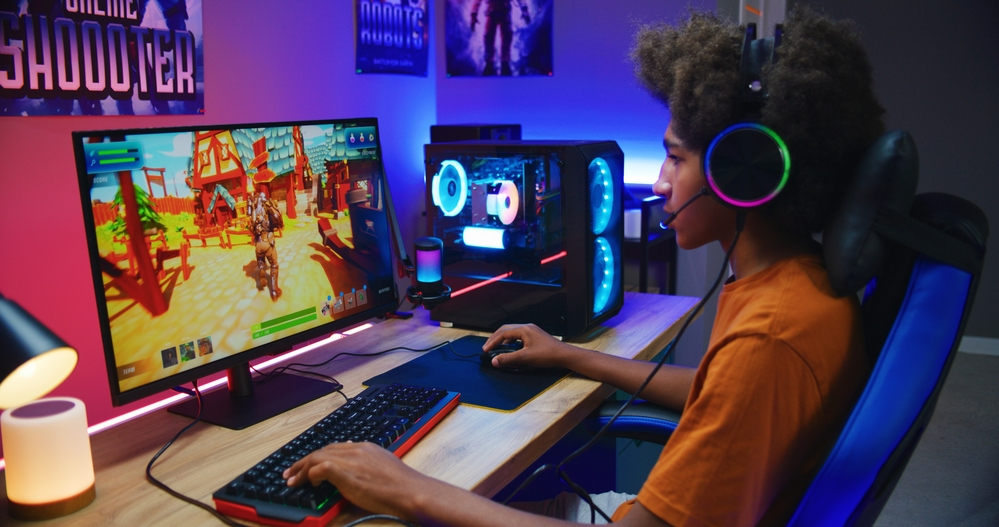
Online gaming is hugely popular amongst teens, with one survey finding that 82 percent of children in the United Kingdom aged 12 to 15 years played online games such as Minecraft. This leaves kids potentially exposed to a number of risks and fraud. It’s why online gaming needs to go hand in hand with online safety so that you can keep your child safe online.
What is online gaming?
Online gaming refers to playing video games over the internet, often with other players located in different parts of the world. It can involve various types of games, including massively multiplayer online role-playing games (MMORPGs), first-person shooters, real-time strategy games, sports simulations, and more
While online gaming can be a fun and engaging way to socialise and compete with others, there are potential risks, such as exposure to inappropriate content, scams or cyberbullying.
How does online gaming work?
In online gaming, players connect to a server or platform that hosts the game, allowing them to play with others who are also connected to the same server or platform. Players can communicate with each other through chat functions or voice communication and can work together or compete against each other to achieve objectives or win the game.
You'll find online games on gaming consoles such as Xbox, PlayStation, and Nintendo Switch, PC gaming platforms such as Steam, Epic Games, and GOG, and smartphones and tablets through app stores such as Google Play and the Apple App Store. And there are many websites that offer online games that can be played through a web browser, such as Miniclip, Kongregate, and Armor Games. This means that you may want to consider how to keep your kids safe on phones, PCs, and other devices.
How to keep kids safe while online gaming
It's important to keep your child safe online, but there are special things to consider with online gaming. You may want to:
Get an understanding of the different games kids play online
To get an understanding of the different games kids play online, you can start by asking them about the games they play and what they like about them. They may be able to tell you about the story, the graphics, or the social aspect of the game. You can also ask them to show you the games they play and explain how they work.
Another way to understand the different games kids play online is to do some research on your own. You can look up popular games and read reviews, watch gameplay videos on YouTube or Twitch, and browse forums or online communities where gamers discuss different games.
Check what the game is about
There are so many different games your children can play. It's important to find out what a game involves before you let your children play it. You can find out more about a game by looking at reviews online. You can even find video reviews for most games that will show you what the gameplay is like. Most games also have a PEGI rating. This shows the age range that this game is suitable for. For example, if a game is rated 7, this means it is suitable for children ages 7 and older.
Change settings/activate parental controls
Parental controls can help limit what your child sees in a game and who they can talk to. Some popular games, such as Roblox and Fortnite, have in-built parental controls. You can also set parental controls on most game consoles, such as the PS4 or PS5, Nintendo Switch and the Xbox One. Don’t forget to activate these parental controls on streaming services as well.
Monitor your child’s spending
If you're worried that your child might spend too much on online games and on in-game currencies, monitor their spending to ensure there are no problems. This can also help you keep an eye out in case your child gets scammed by someone online. Also, be sure to set up two-factor authentication, a security feature that is increasingly being offered by online gambling platforms to help protect user accounts.
Set ground rules
Set rules about online gaming before your child starts playing. For example, time limits each day, games they can and can’t play, asking before they spend, who they can chat to (or if they can chat at all), And be clear too about expectations around their online behaviour and also the parental controls you are putting in place.
Keep devices in shared family spaces
When gaming devices are kept in shared family spaces, you can monitor what’s happening to ensure kids are adhering to ground rules and not engaging in any risky or inappropriate behaviour. It also helps you keep an eye on who they are talking to and how they are behaving online.
Turn on notifications on your account
Notifications can help you keep track of how long your child is playing games and when they are playing them and can alert you to any changes made to your child's gaming account, such as password changes or new payment methods added. They will also help you detect any attempts to access your child's gaming account without their permission.
Use gift cards or pre-paid debit cards to make purchases rather than credit cards
Using gift cards or pre-paid kids' debit cards can be a safer option for making purchases on online gaming sites as they have a set limit which can help you and your child control their spending and prevent overspending. It also helps you to avoid linking your bank account or credit card to the gaming site, which can help protect your personal and financial information. By using gift cards or pre-paid debit cards, kids have to learn the importance of budgeting and controlling their spending.